
A computer your agent can keep.
Run commands, work with files, and pick up where you left off.
Assemble VMs gives your agent a persistent Linux environment through a simple API. Bring your own harness or use ours. Your files stay with the session until you delete it.
Connect to the hosted API with an operator-issued key and local SDK packages. Customer signup and npm publication are pending. Start with the quickstart for the API URL and setup steps.
Start with your coding agent
Give your agent the Assemble VMs skill. It will add the SDK to your project, run a command, and verify that your files survive a pause and reopen.
Connect your project with one copyable prompt.
Let Claude build and verify the same integration.
Writing the integration yourself? Follow Your first session.
A desktop your agent can drive — and you can watch
Every session is a full computer. Drive its desktop with the computer API, then stream the screen and a live terminal straight into your own product.
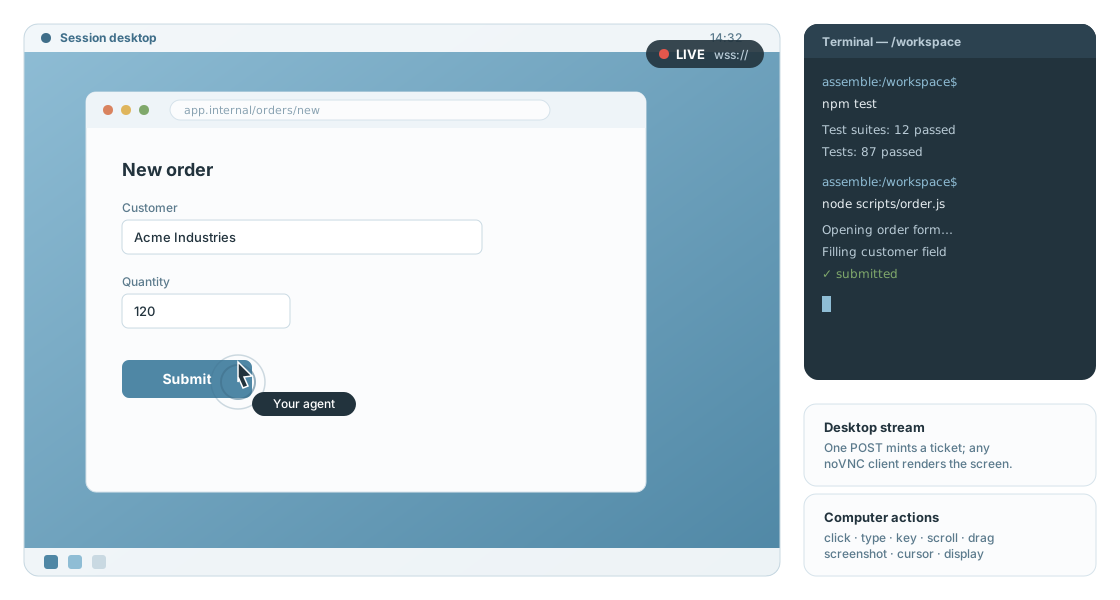
Click, type, press keys, scroll, and capture screenshots as session primitives your harness exposes as tools.
Mint single-use WebSocket tickets for a VNC-compatible desktop view and an xterm-ready interactive terminal.
Bring the harness that works for you
Your harness decides how the agent thinks and acts. Assemble provides the computer it works on.
Connect your agent's file and shell tools to the SDK.
Install your CLI agent in a familiar Linux environment.
Send a task to our Pi harness and stream its progress.
All three work with the same saved session. Compare the integrations.
Build on a session
Sessions, files, commands, and agent events.
Requests, authentication, and streaming.
Work with your sessions from the terminal.
Desktop actions, screenshots, and live streams.
Understand what survives, what flushes, and when.
A session gives your agent an Assemble VM with persistent files at /workspace. The API and shell processes share that working directory. Learn how sessions and their lifecycle work.